General settings
1. Open General
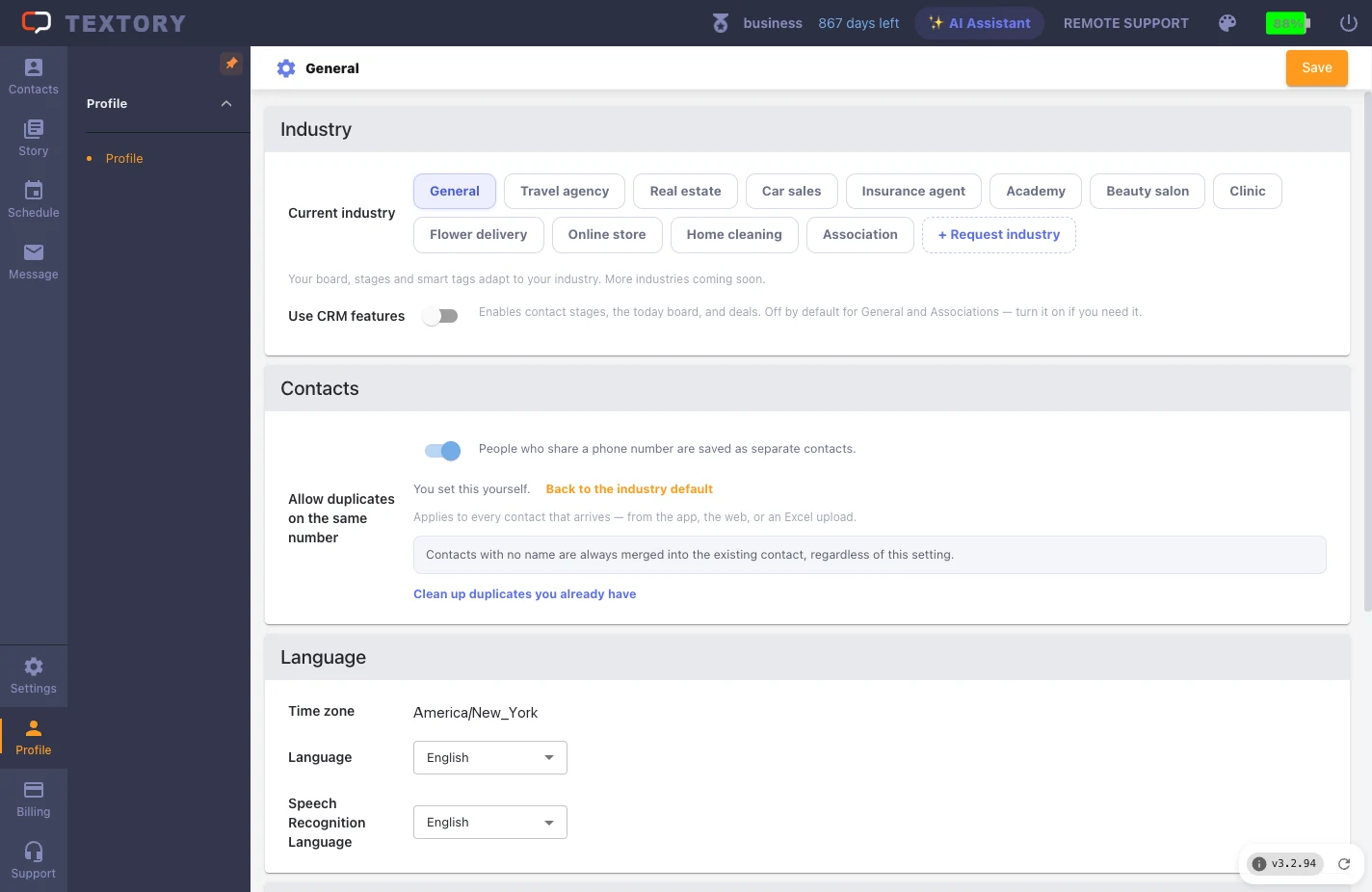
Open Settings → General. After changing anything, click Save at the top right to apply.
2. Set the send shortcut
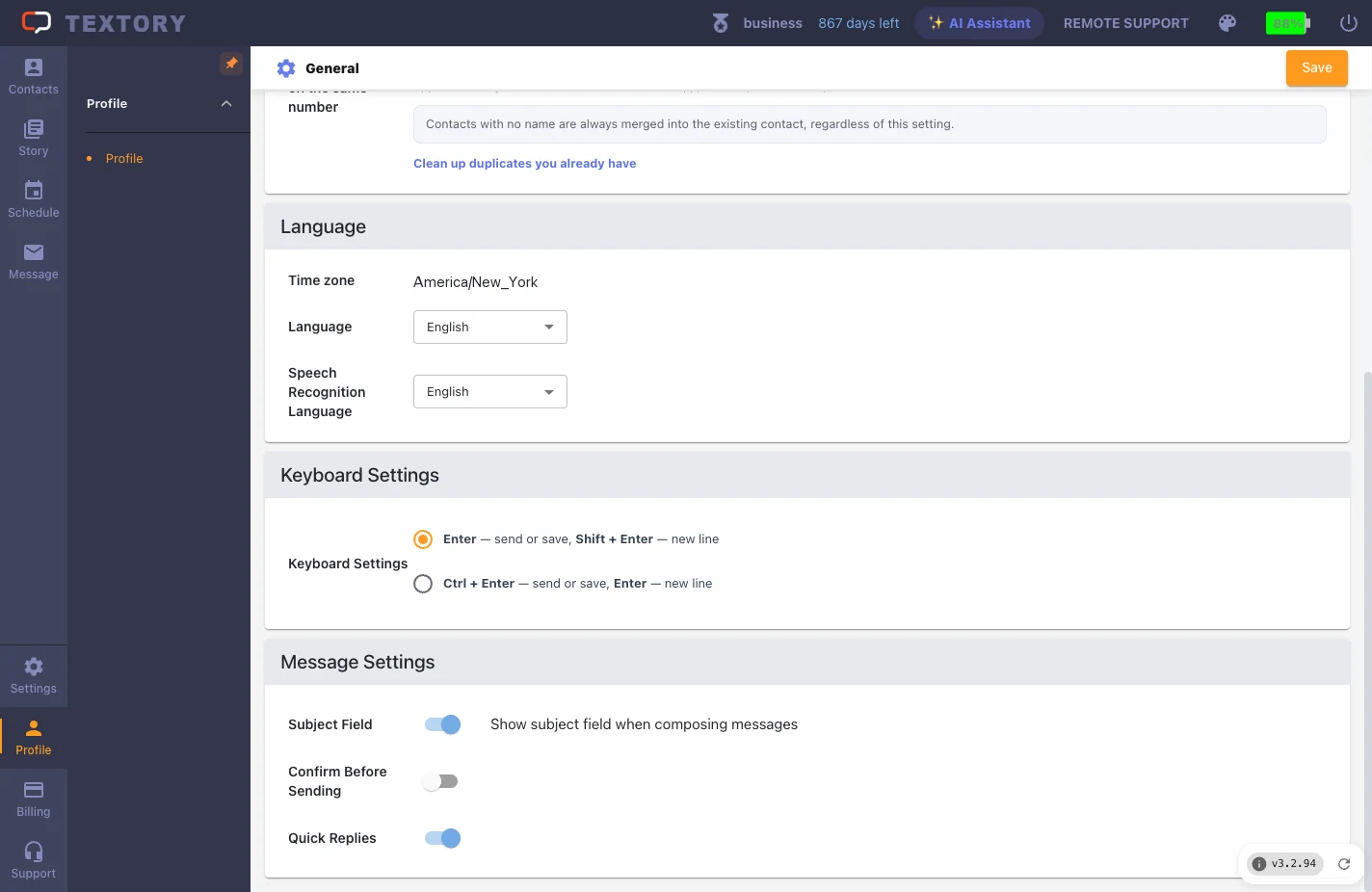
Under Keyboard Settings, choose whether Ctrl+Enter or Enter sends. If Enter sends, you might send a message while trying to add a line break.
3. Check the time zone, language and speech language
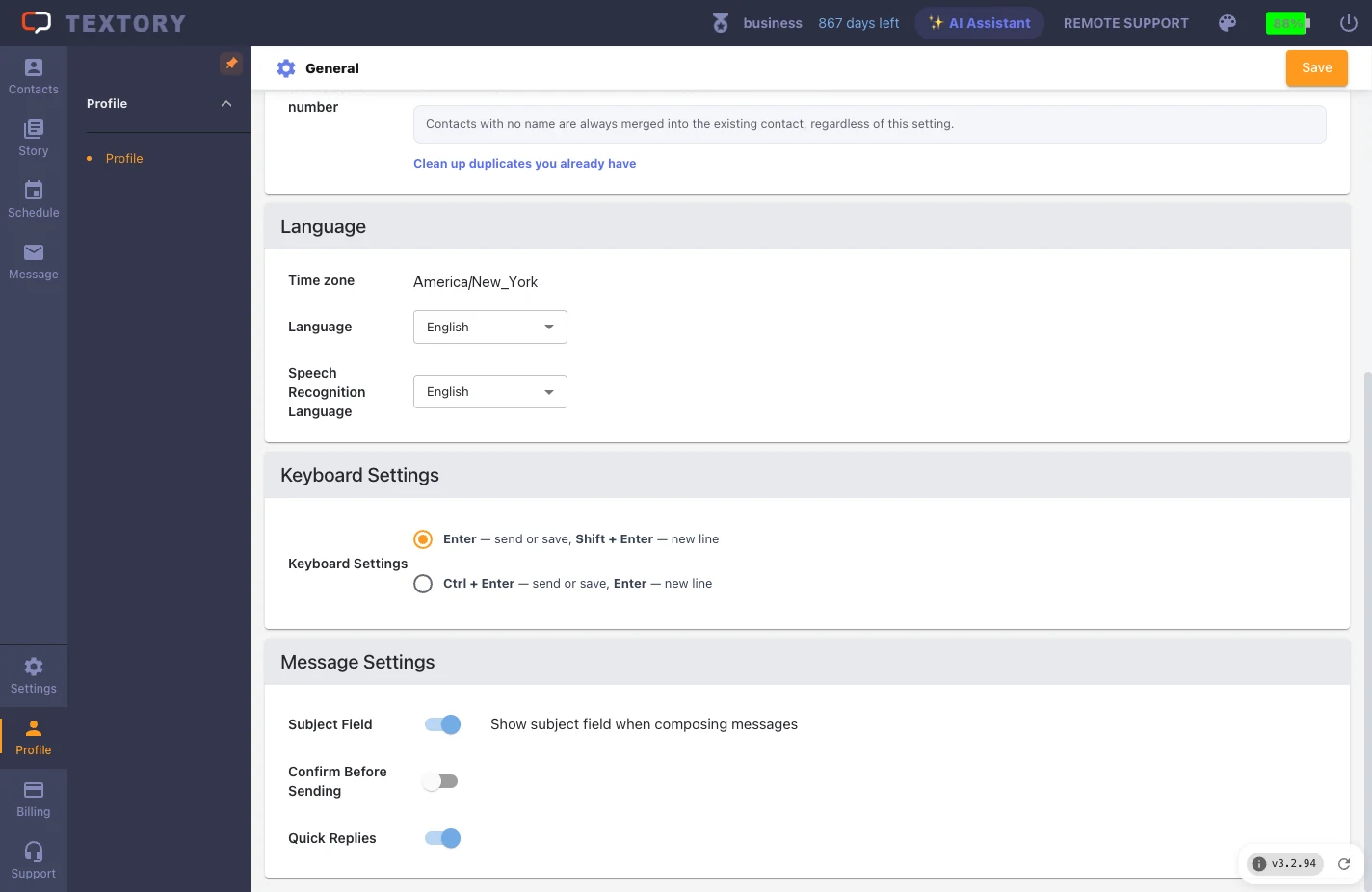
Under Language, check the time zone (Asia/Seoul), display language and default speech-recognition language. Display and speech languages are set separately.
4. Industry and CRM features
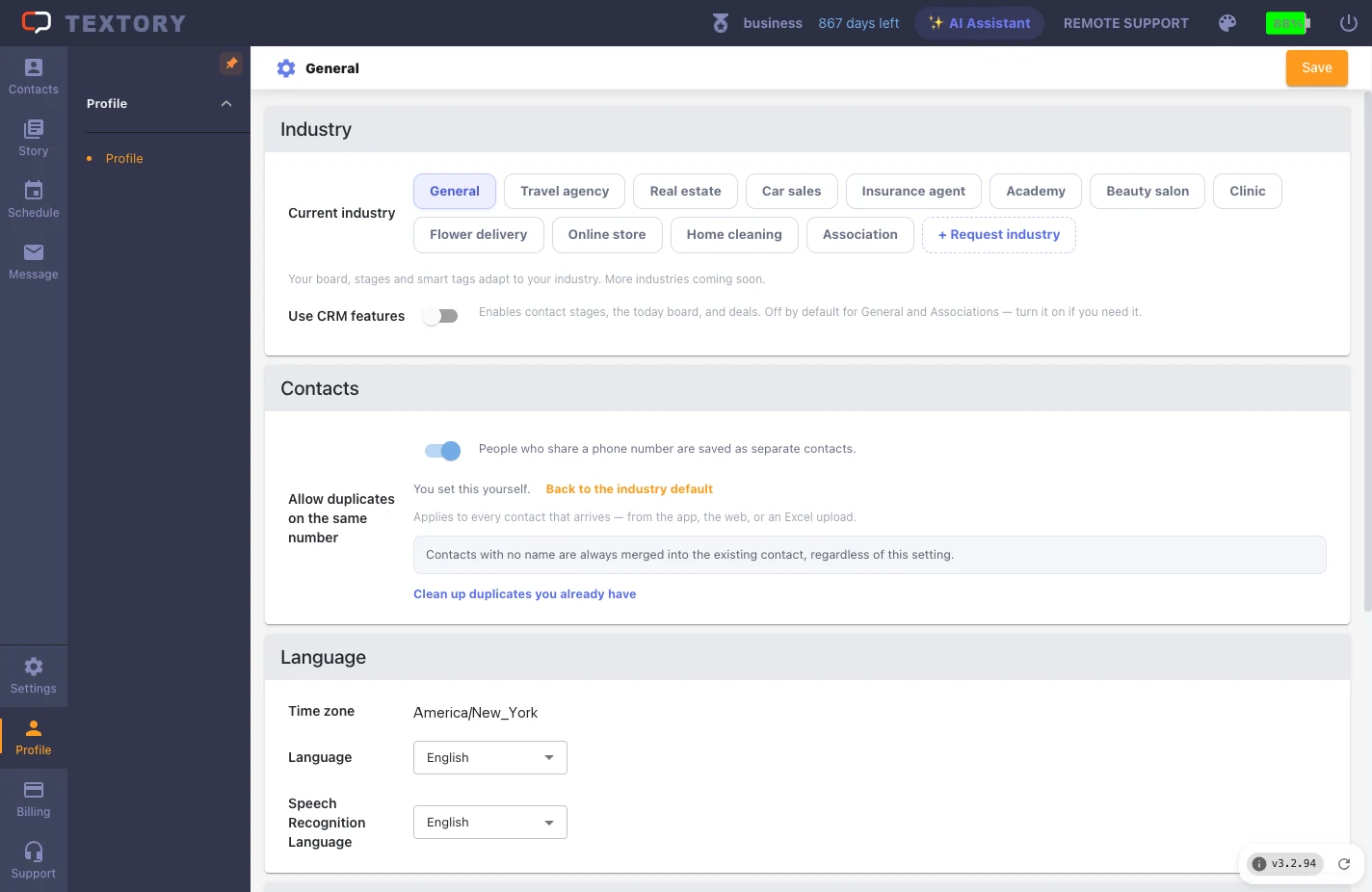
Under Industry, see your current industry and the Use CRM features switch. Changing the industry can affect stages and smart tags, so read the on-screen notice before changing it.
Next guides
Still stuck?