Write messages with AI
1. Select a customer and open AI message writer
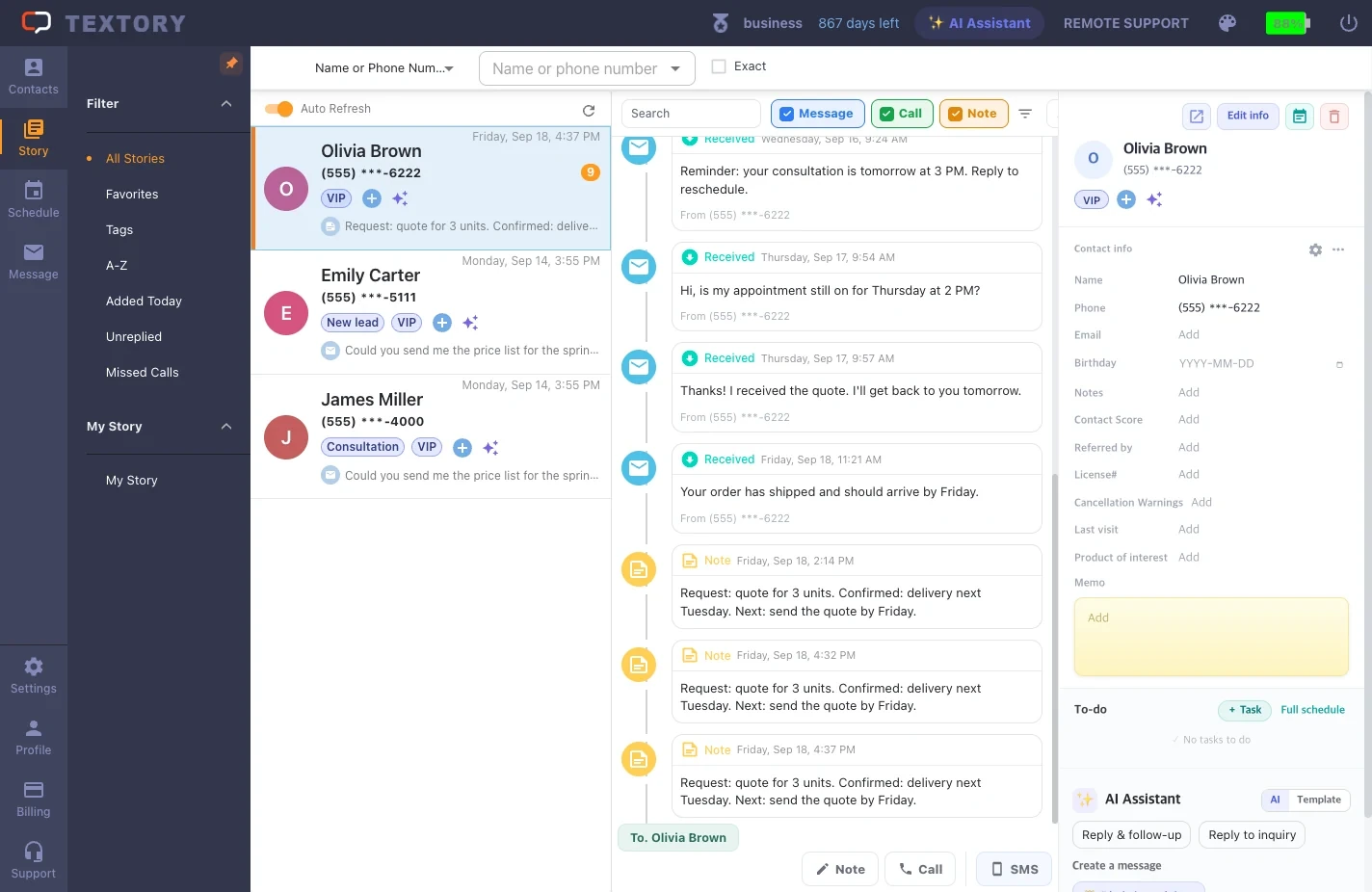
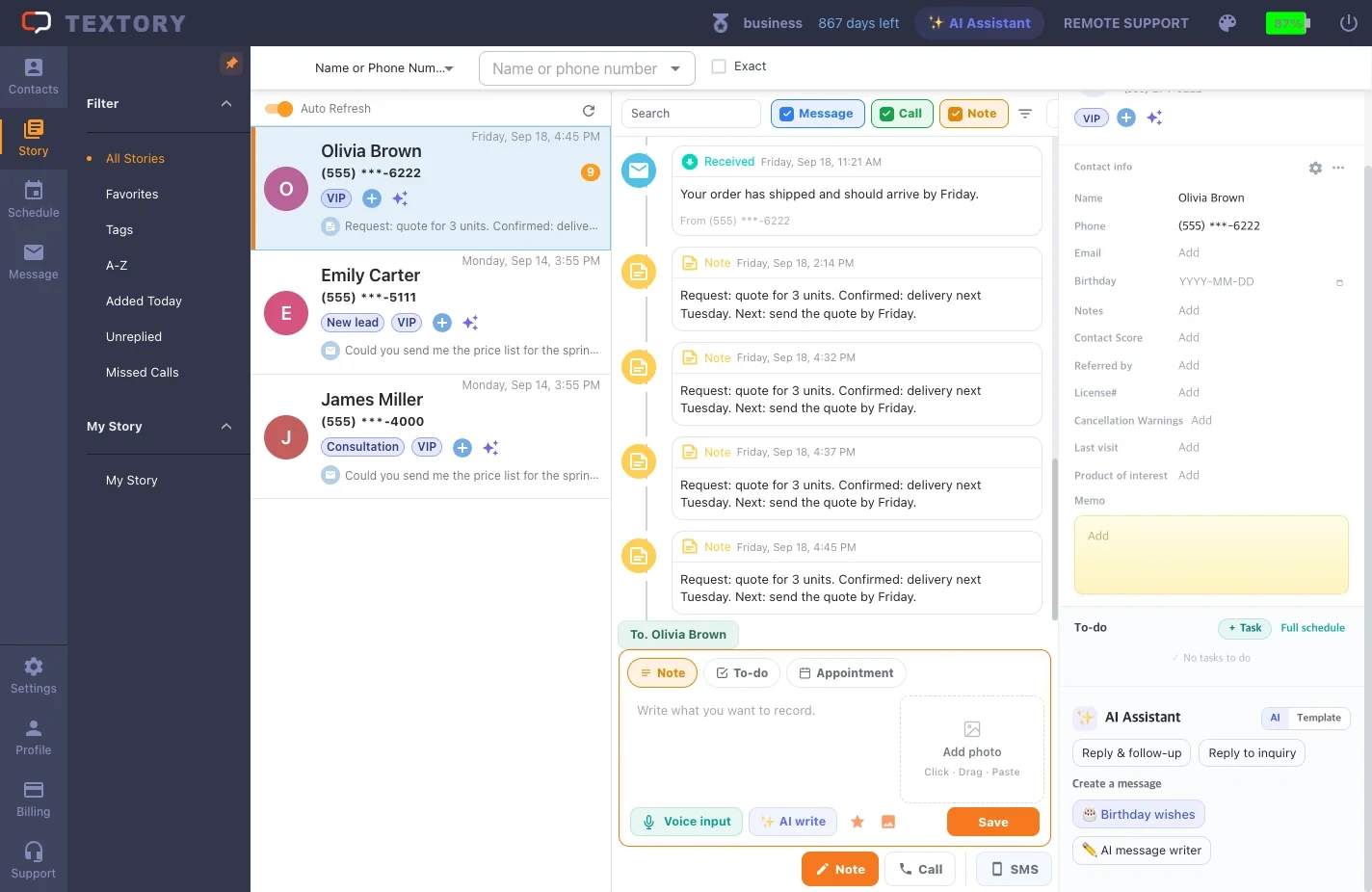
Select a customer in Story and their details appear on the right. Under AI assistant, click AI message writer. It drafts a message based on recent conversations and memos.
2. Choose a purpose and get a draft
Choose a purpose such as information, thanks or a return visit, and a draft appears. Not happy with it? Click Regenerate.
3. Edit the draft and send
Always check facts like dates, amounts and names, and the tone, and fix them. Click Insert into message to put it in the reply box; you send it yourself as usual.
4. Write a birthday message
The Birthday button in AI assistant writes a greeting tailored to that customer. To send automatically to every customer, use “Set up automatic birthday messages”.
Next guides
Still stuck?