Add a consultation note
1. Select a customer
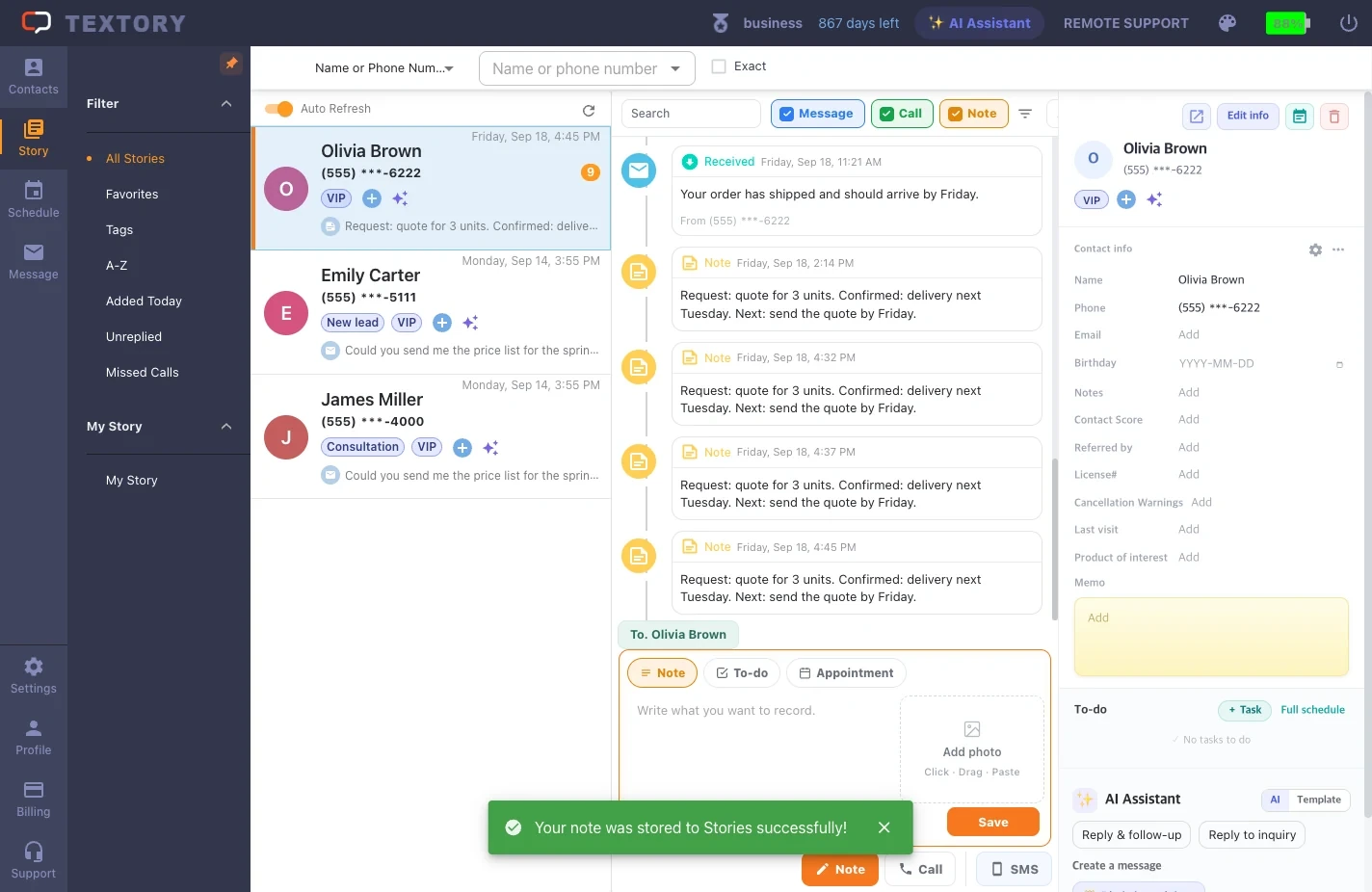
In Story, search by name or phone number and select the customer. Personal notes unrelated to a customer go in My story.
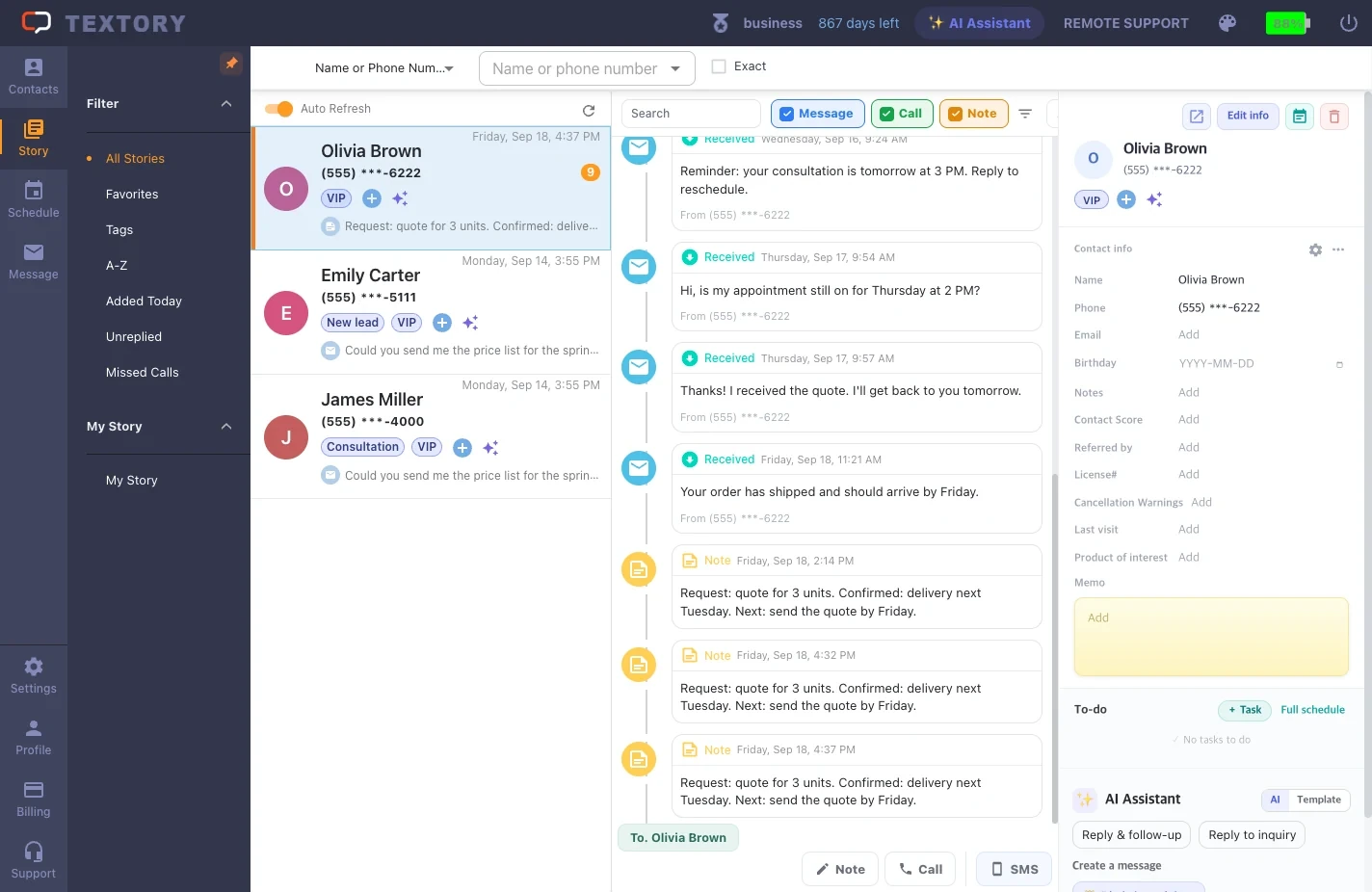
2. Click Note
Click Note below the timeline and the input box opens. Make sure the Note tab is selected at the top. The To-do and Appointment tabs are for scheduling.
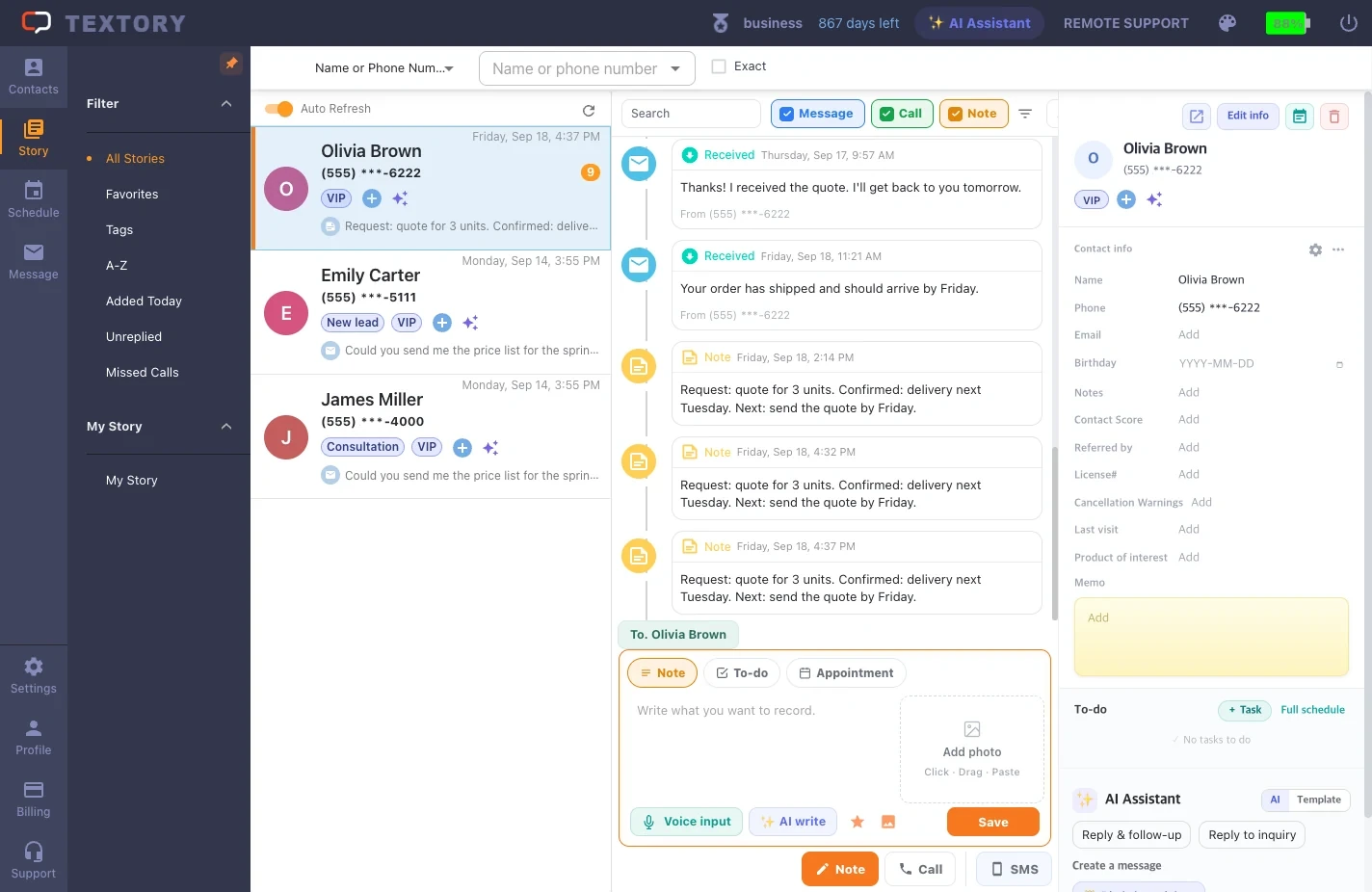
3. Enter the note
Split it into request (what they wanted), confirmed (what was decided) and next action (who, when) so it’s easy to read later. You can also dictate with the mic, polish the wording with AI writing, or attach a photo.
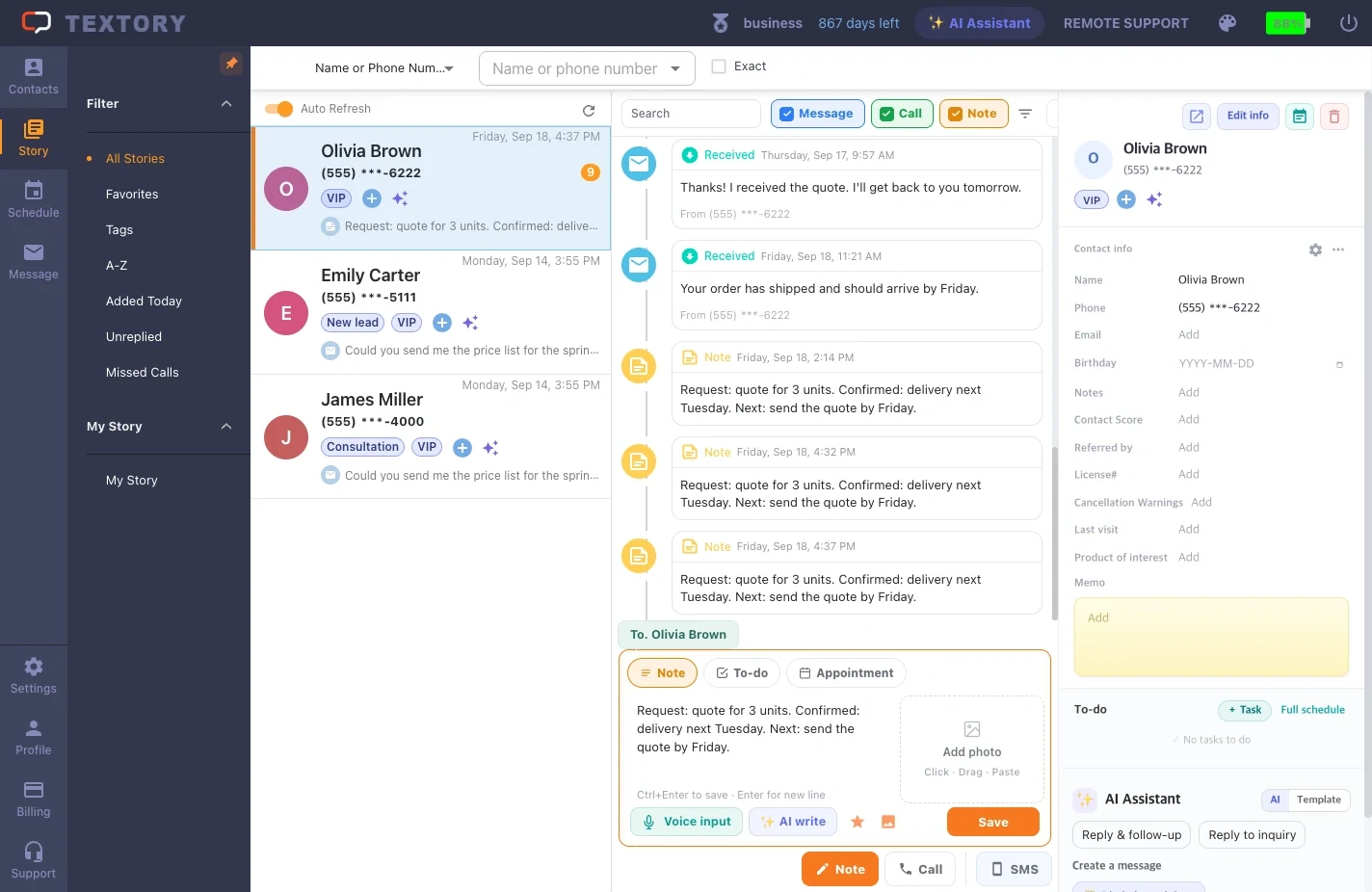
4. Save
Click Save.
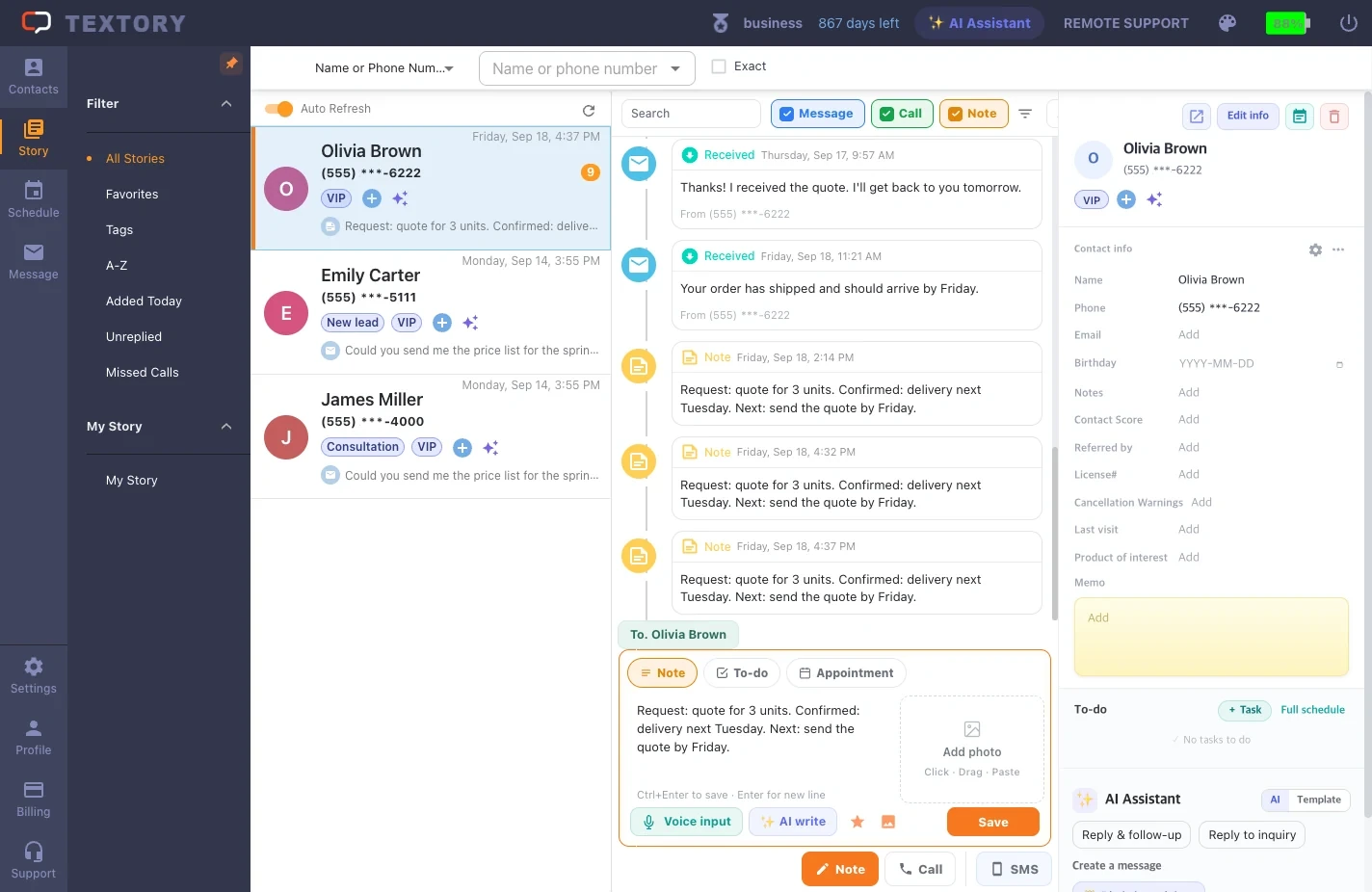
5. Check the timeline
The note is added to the timeline with a timestamp, and the last item in the list on the left updates to your new note. To edit or delete it, hover over the note and click the icon.
Next guides
Still stuck?