Clean up old stories
1. Open Data Cleanup
On a computer, go to www.textory.com and open Billing → Data Cleanup. If My Usage shows your stories are close to the limit, you can free up space here by deleting old stories.
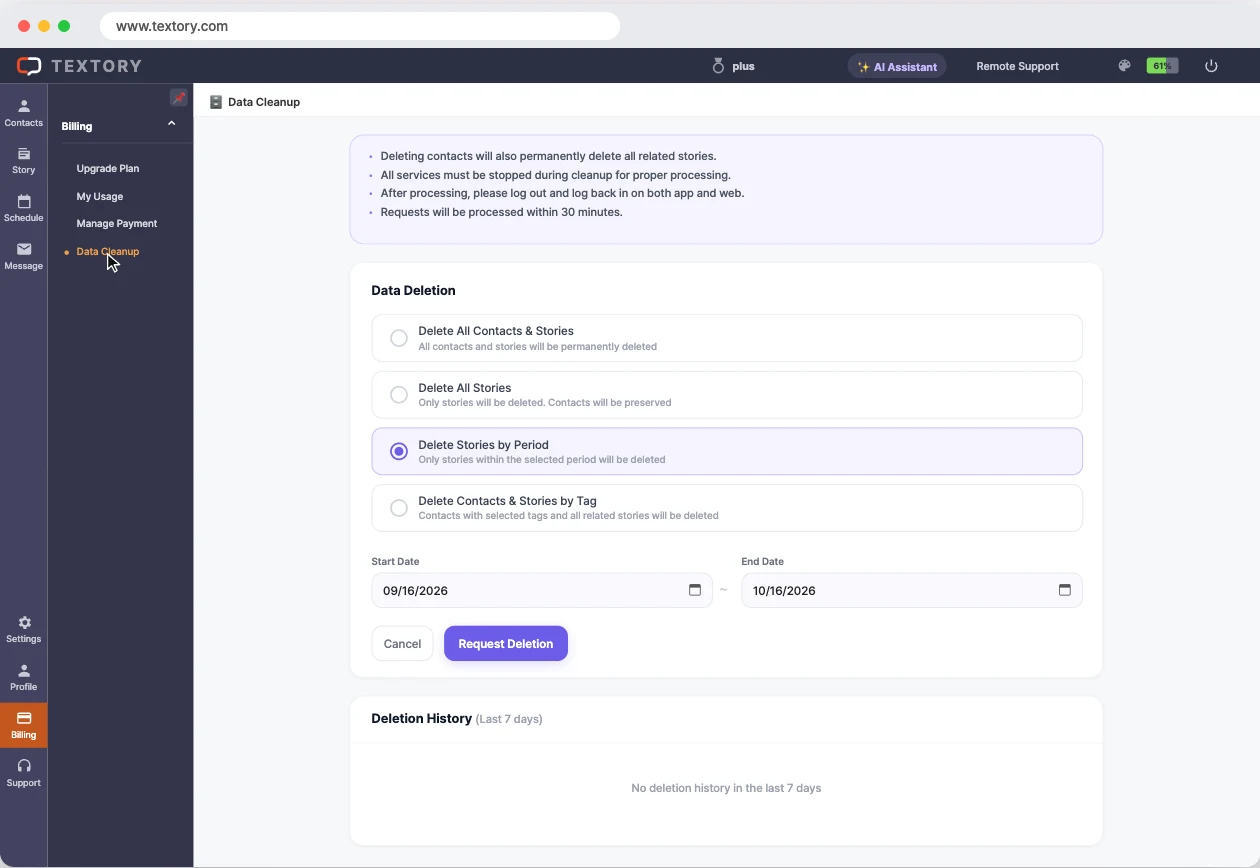
2. Set the dates
Under Data Deletion, choose Delete Stories by Period, then set the Start Date and End Date. This deletes only the stories in that period and keeps your contacts. Delete All Contacts & Stories and Delete Contacts & Stories by Tag also delete contacts, so check the name before you choose.
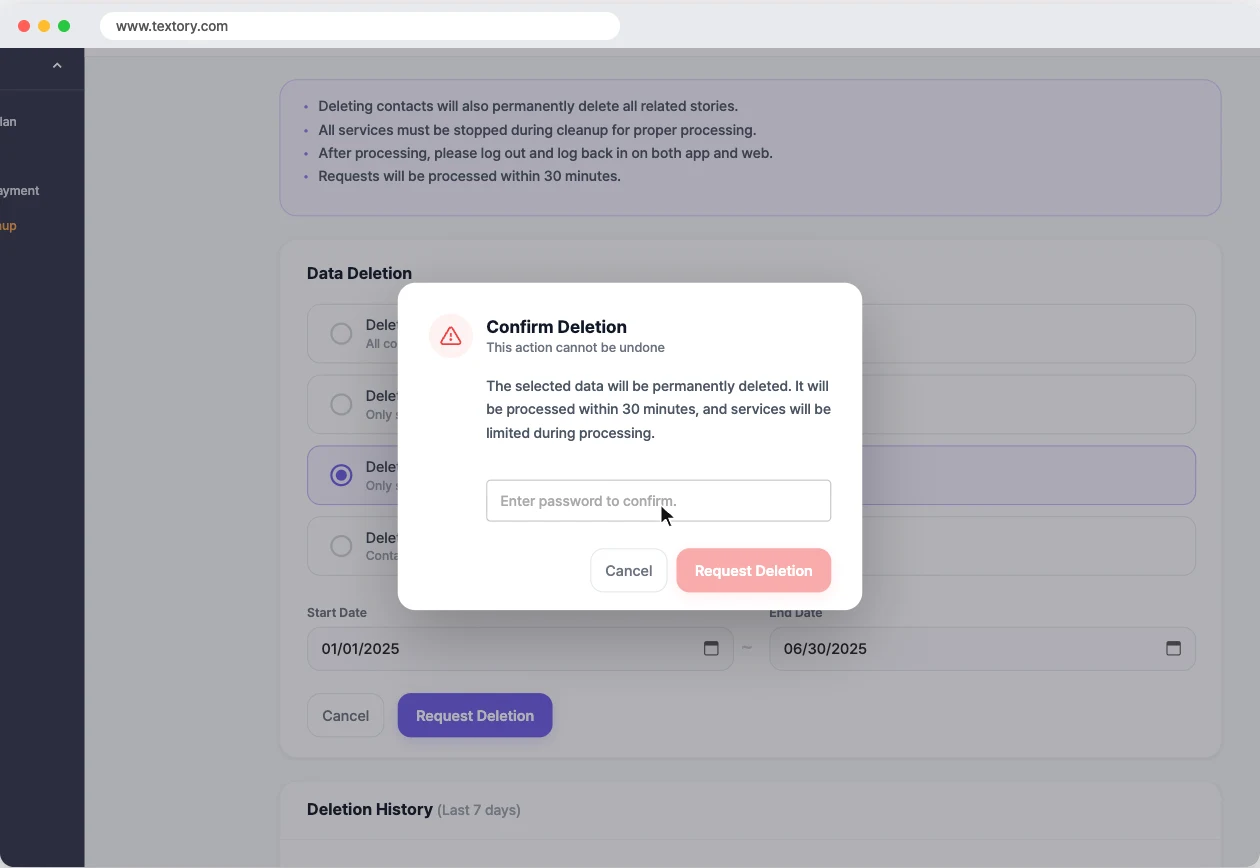
3. Request deletion
Click Request Deletion, enter your password in the confirmation window, then click Request Deletion again. Deleted stories can’t be restored.
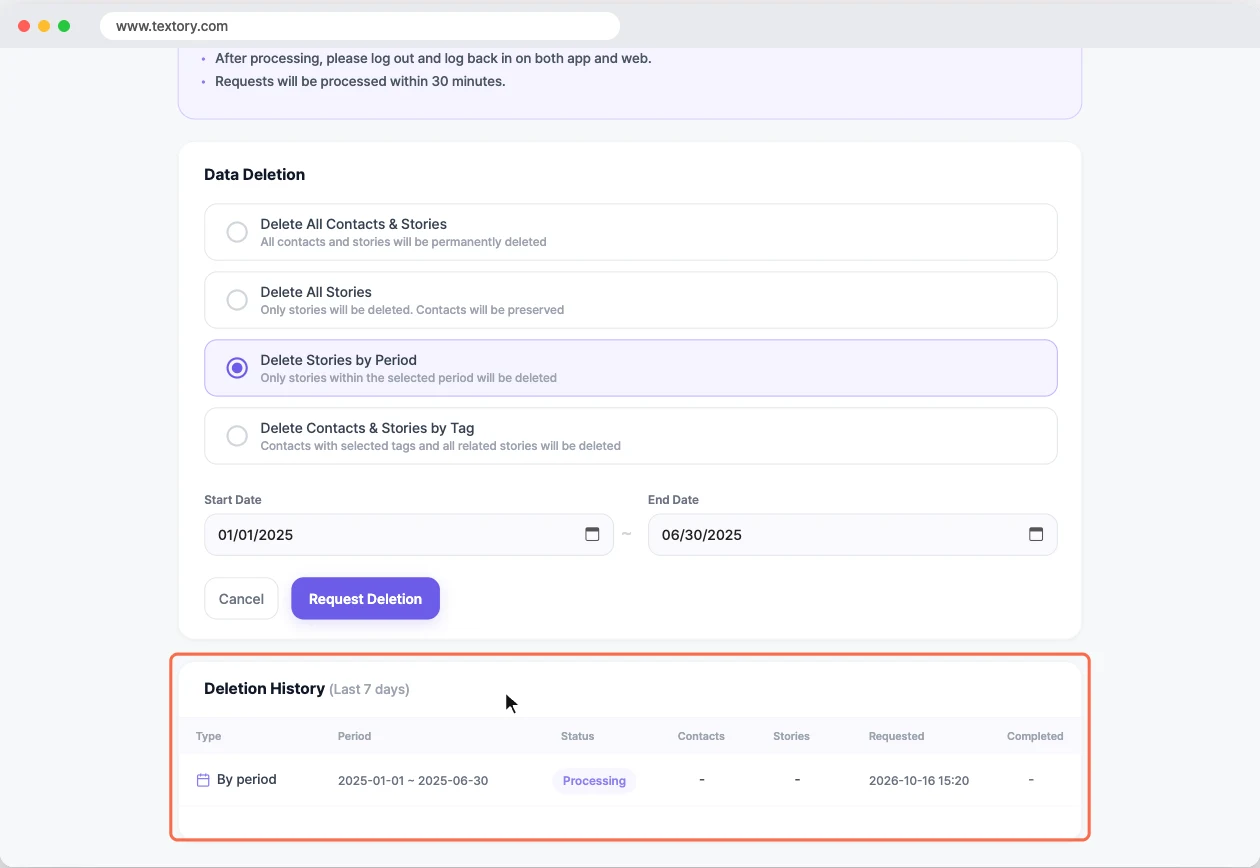
4. Check Deletion History
Requests are processed within 30 minutes, and you can’t use other features while data is being removed. Check the status under Deletion History (Last 7 days).
5. Log back in to the phone app
Requesting deletion logs out the phone app. When processing is done, log back in to the app with the same account, and log out and back in on the web too.
Next guides
Still stuck?