When the app disconnects
1. Compare the PC and app accounts
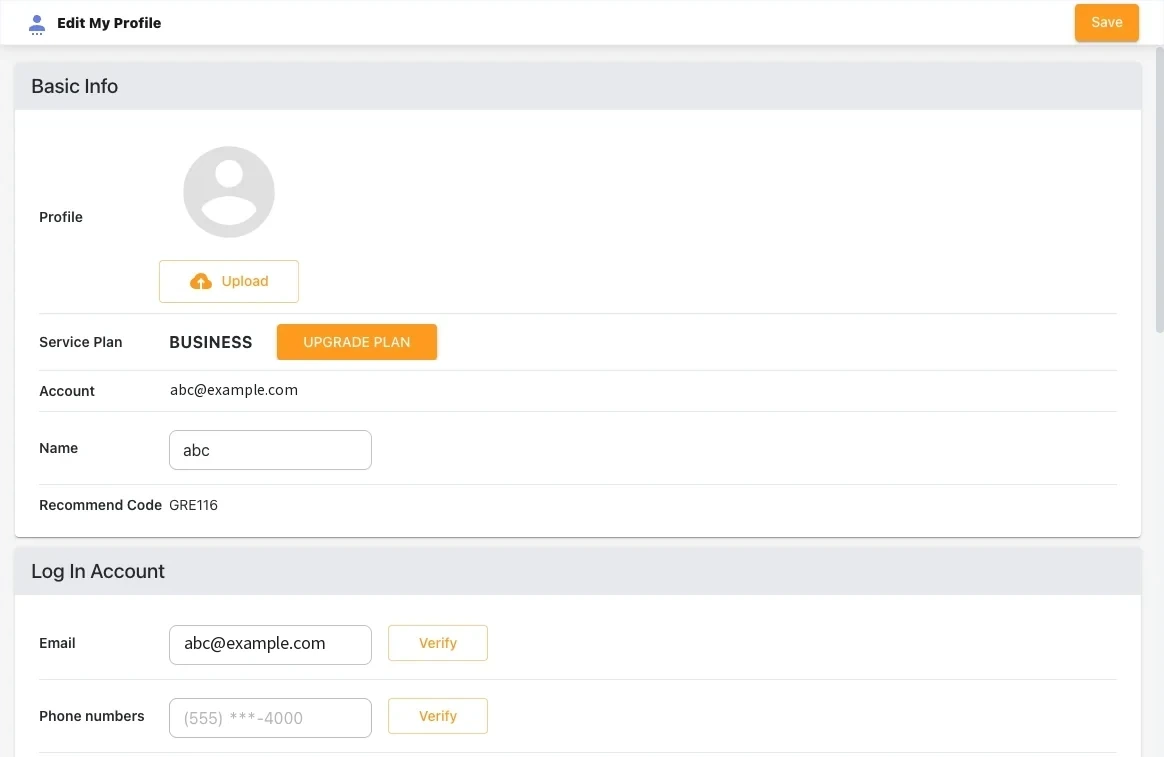
In Profile → Edit My Profile on PC, check the email and phone number against the phone app’s account. The display name can match while the account differs. If you changed phones, make sure you signed in on the new one.
2. Check permissions and battery saver
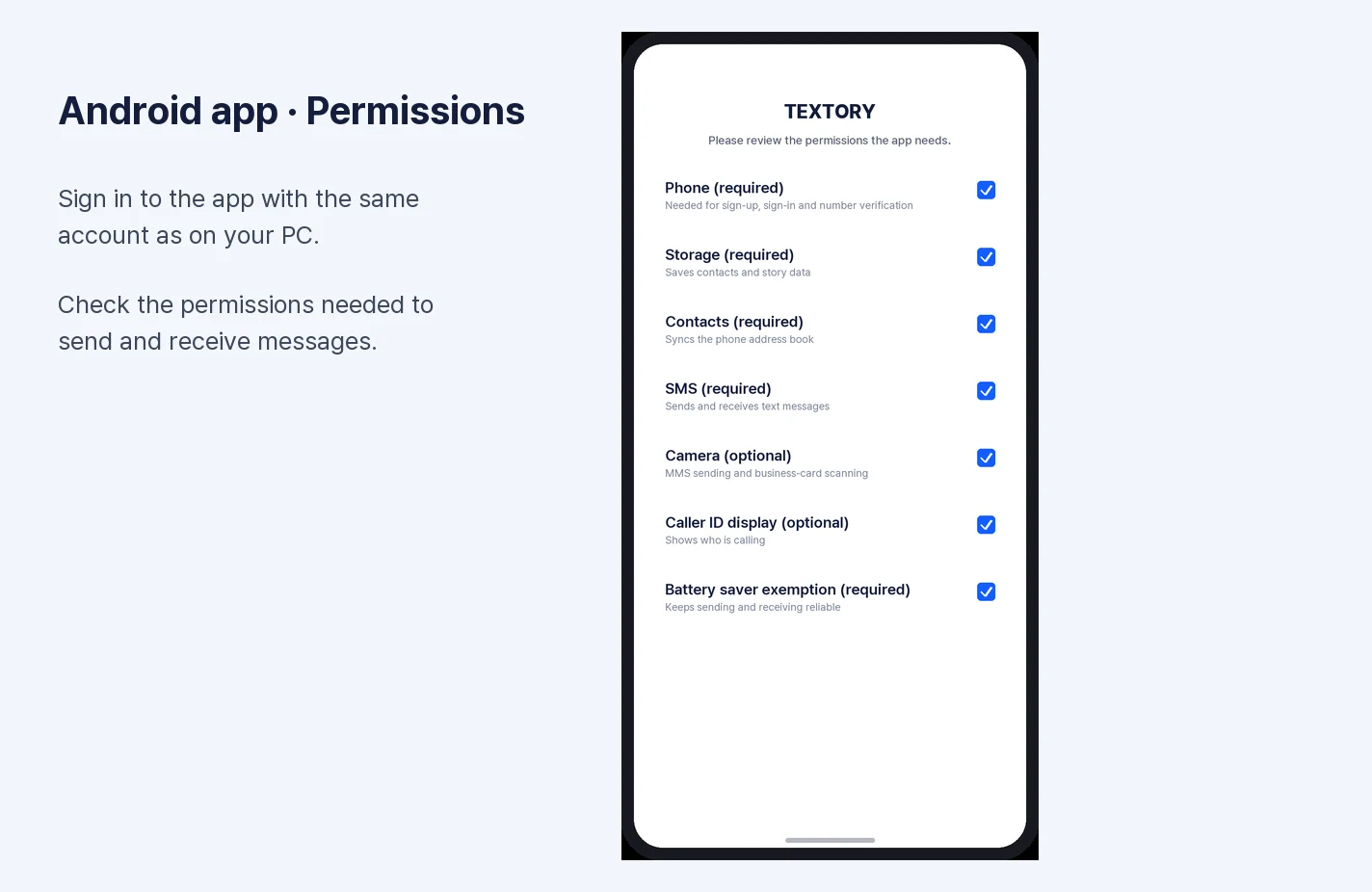
On the app’s permission screen, check that SMS, phone and contacts permissions are granted and battery saver is excluded. If it disconnects when the screen turns off, battery optimization is the cause: Phone Settings → Apps → Textory → Battery → Unrestricted.
3. Check the internet and app version
Check whether other web pages open on the phone. If the internet works but the notice persists, update Textory in Google Play and reopen the app.
4. Check pending sends
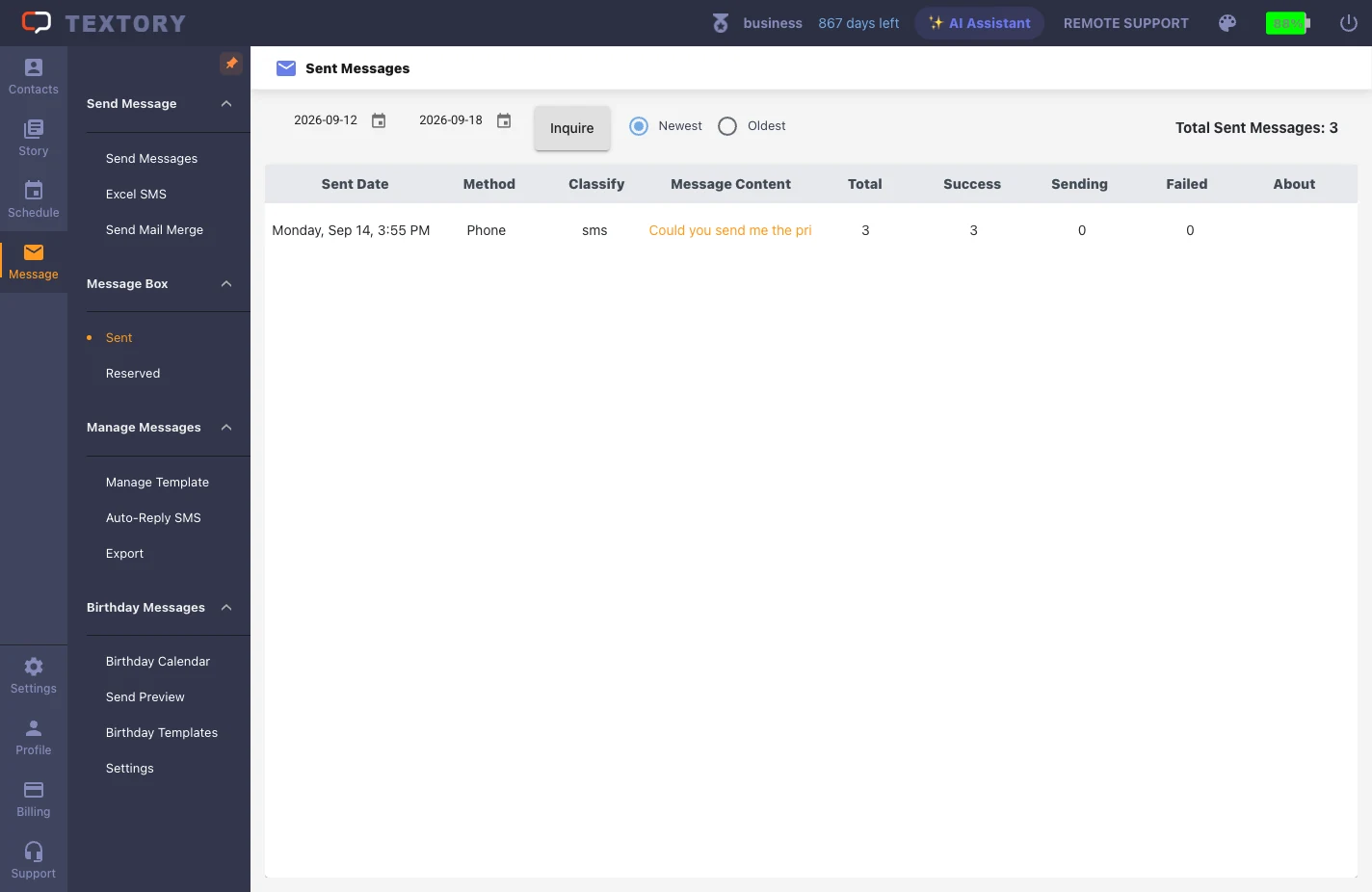
When the connection returns, queued requests may go out. Before creating the same message again, check Sent and Reserved.
Next guides
Still stuck?